Before you start
The map is only as good as the business context behind it.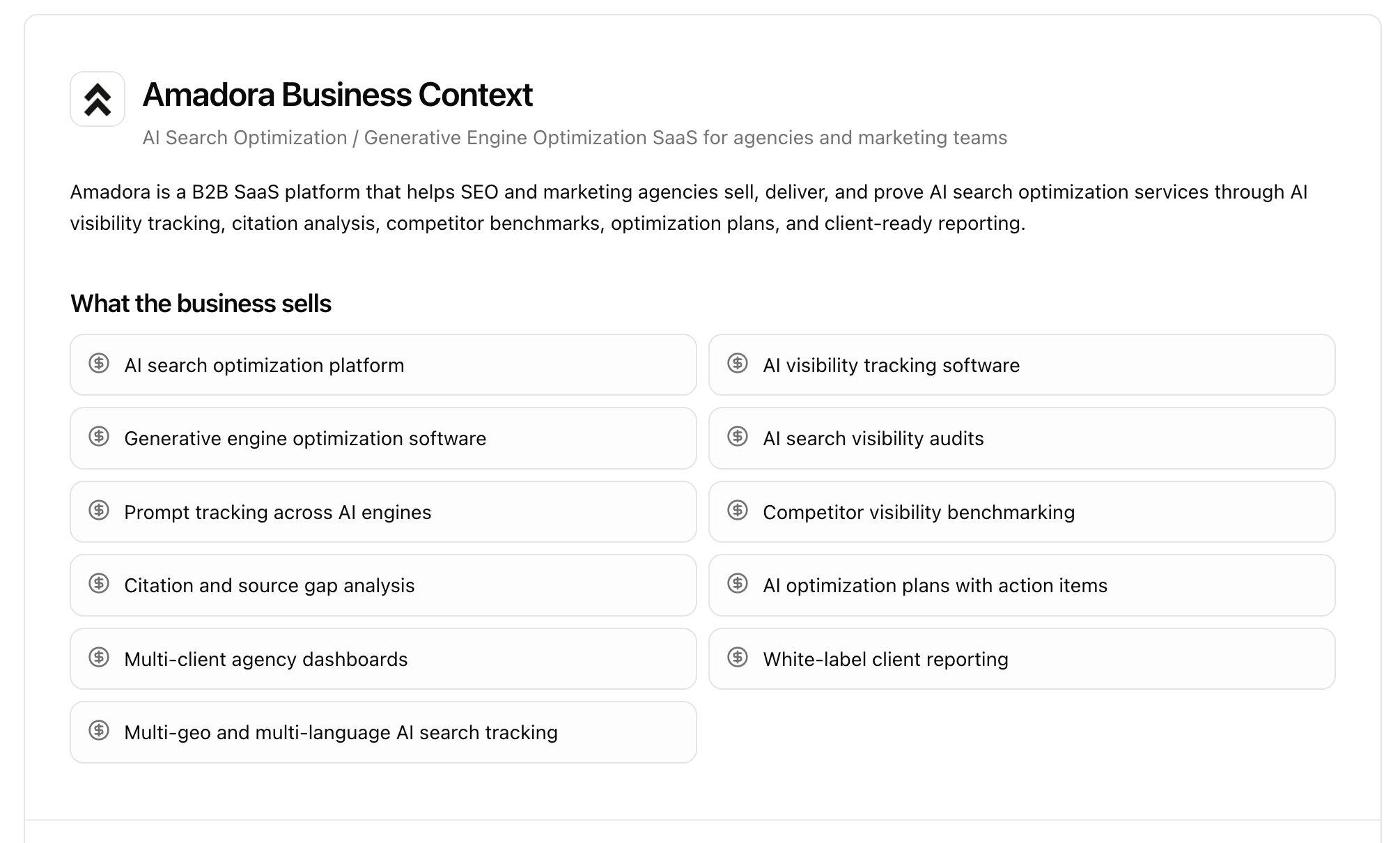
- A clear description of what the business sells and who its best customers are.
- A short list of competitors and alternatives buyers actually compare you against (3 is a good number).
- Optionally, a Google Search Console connection and any manual keyword lists you want to validate against.
The four stages
A Topical Map is built in four stages. You can move through them in order, and you can come back and re-run any stage as your context improves.- Build — generate the commercial topic hierarchy from your business context.
- Validate gaps — check the map against competitors for obvious missing topics.
- Validate with data — confirm topics against real search data and build keyword clusters.
- Track — push the high-priority prompts into prompt tracking.
Stage 1 — Build the commercial topical map
The map starts from a commercial context filter: a focused summary of what the business sells, its best customers, the problems they urgently want solved, the use cases that generate revenue, and the competitors buyers compare. This filter is what keeps the map commercial instead of generic.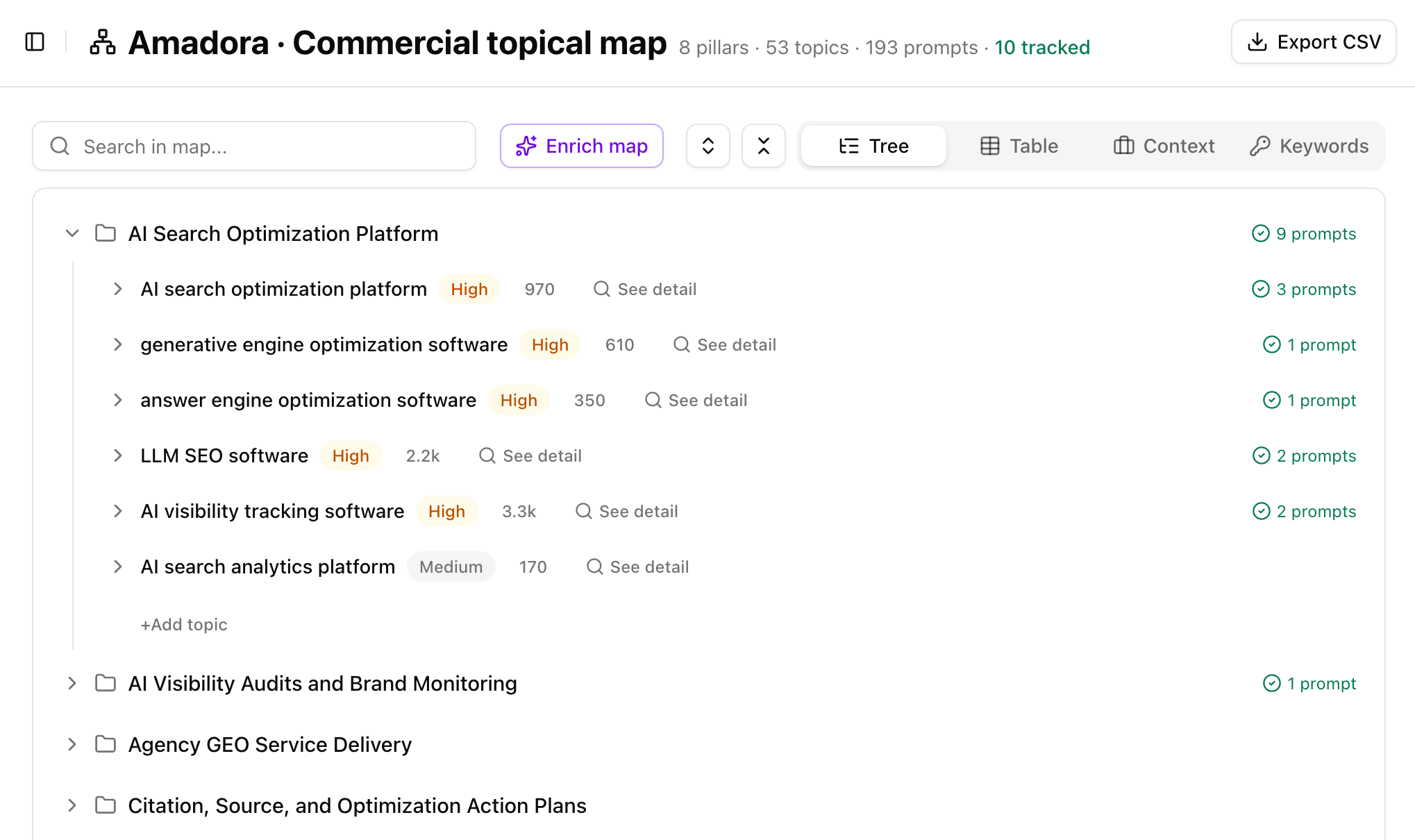
- Pillars are written in business language — the categories the brand actually sells (e.g. “AI Search Optimization Platform”, “Agency GEO Service Delivery”).
- Topics under each pillar are written in search language — closer to how buyers actually phrase things (e.g. “AI visibility tracking software”, “LLM SEO software”).
- Prompts are the example queries a buyer would type into an AI engine under each topic.
- Intent — BOFU (bottom of funnel) or MOFU (middle of funnel). High-intent commercial topics are favored over broad awareness topics.
- Topic type — e.g. Product / Category / BOFU, comparison, pricing, use-case.
- Priority — High / Medium / Low.
Tip: Use the Context view to see the exact business context the map was built on — what the brand sells, ideal customers, and competitors. If the context is off, fix it there and re-build; everything downstream depends on it.
Stage 2 — Validate gaps against competitors
Once the first version exists, this stage checks it for obvious missing commercial topics — without rewriting what you already have. It compares your map against your business model and your competitors’ commercial topics, then answers five questions:- Are any obvious commercial pillars missing?
- Are any obvious BOFU/MOFU topics missing under existing pillars?
- Are any buyer-intent query patterns missing?
- Are any competitor-covered commercial topics absent from the map?
- Are any AI-search or PPC trigger topics missing?
Stage 3 — Validate with real-world data
This is where strategic topics become evidence-backed keyword clusters. The map is validated against three data sources:- Google Search Console — confirms which topics you already get impressions and clicks for.
- Competitor keyword research — confirms which topics competitors rank and bid on.
- Manual keyword lists — your own keywords, if you have them.
- Does this topic exist in real search data?
- Are people using similar language?
- Is it commercially relevant?
- Can we form a real keyword cluster around it?
- Should it stay High / Medium / Low priority?
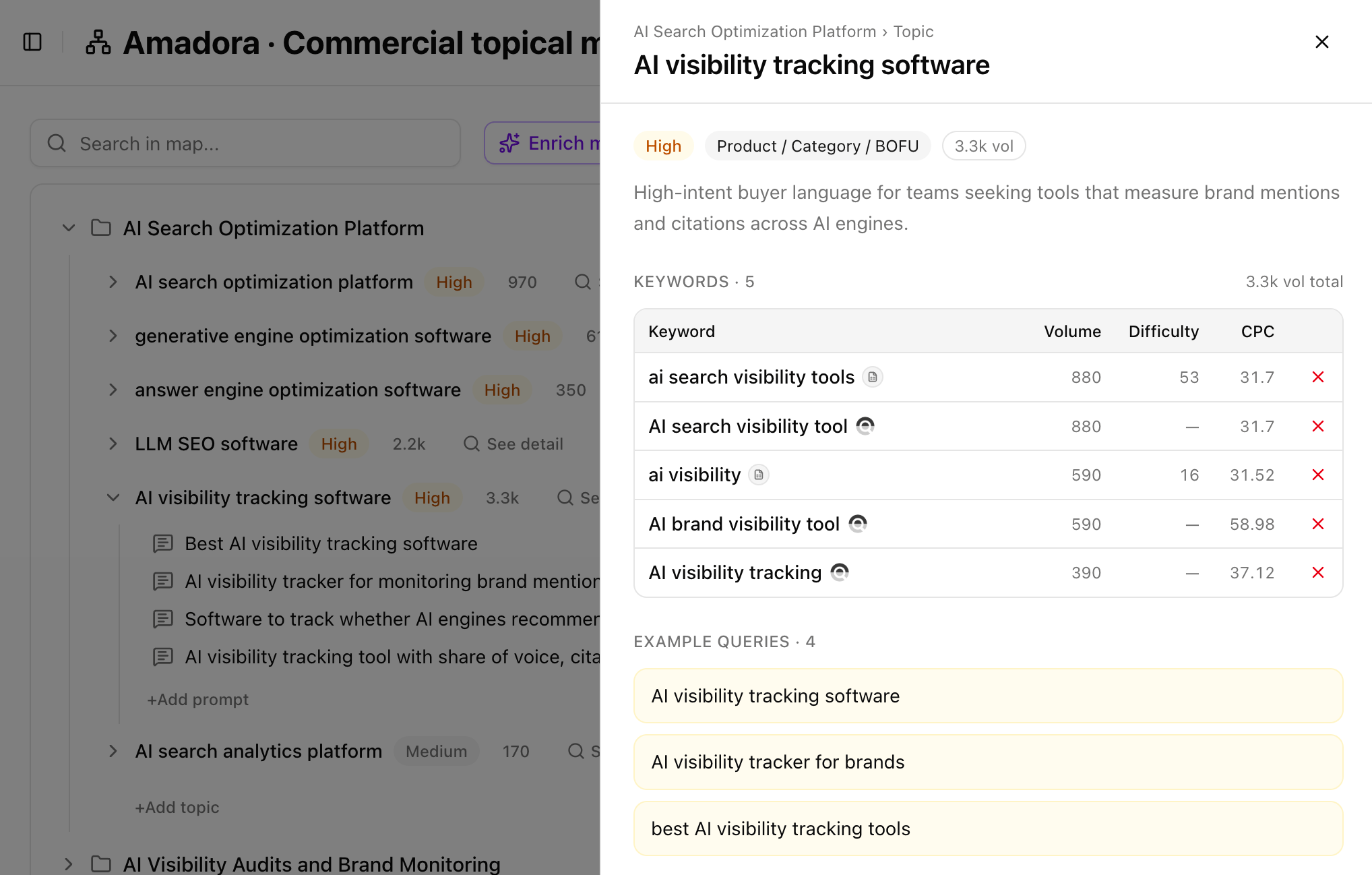
- Topic detail panel — open any topic and see its keyword table with Volume, Difficulty, and CPC per keyword, plus the total volume for the topic and a set of example queries. The Source icon shows where each keyword came from.
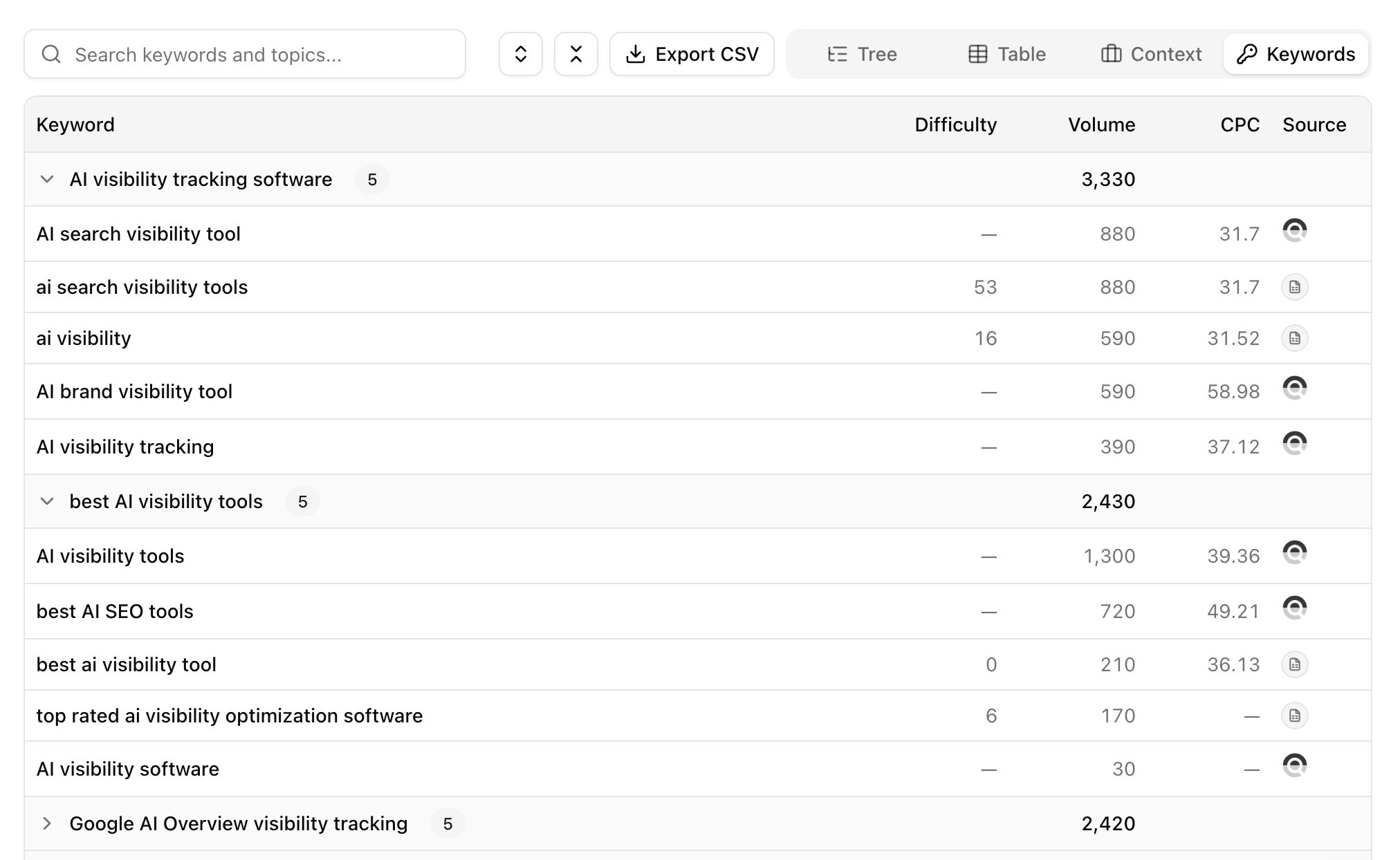
- Keywords view — every keyword across the whole map, grouped into clusters with a volume total per cluster (e.g. “AI visibility tracking software — 3,330”, “best AI visibility tools — 2,430”). This is the fastest way to size opportunity across the map.