
What is the AI Search Visibility Audit?
The AI Search Visibility Audit is a ready-to-present report that shows how a brand appears — or doesn’t — when buyers ask AI tools for recommendations. It tests a brand across the major AI search surfaces, compares it to competitors, and turns the results into a prospect-ready deliverable you can walk a CEO through in 15 minutes. It’s built to create an “aha moment,” explain why AI behaves the way it does toward the brand, and set up a clear path to fix it. Every audit answers six questions in order:- Are they visible where their buyers actually search?
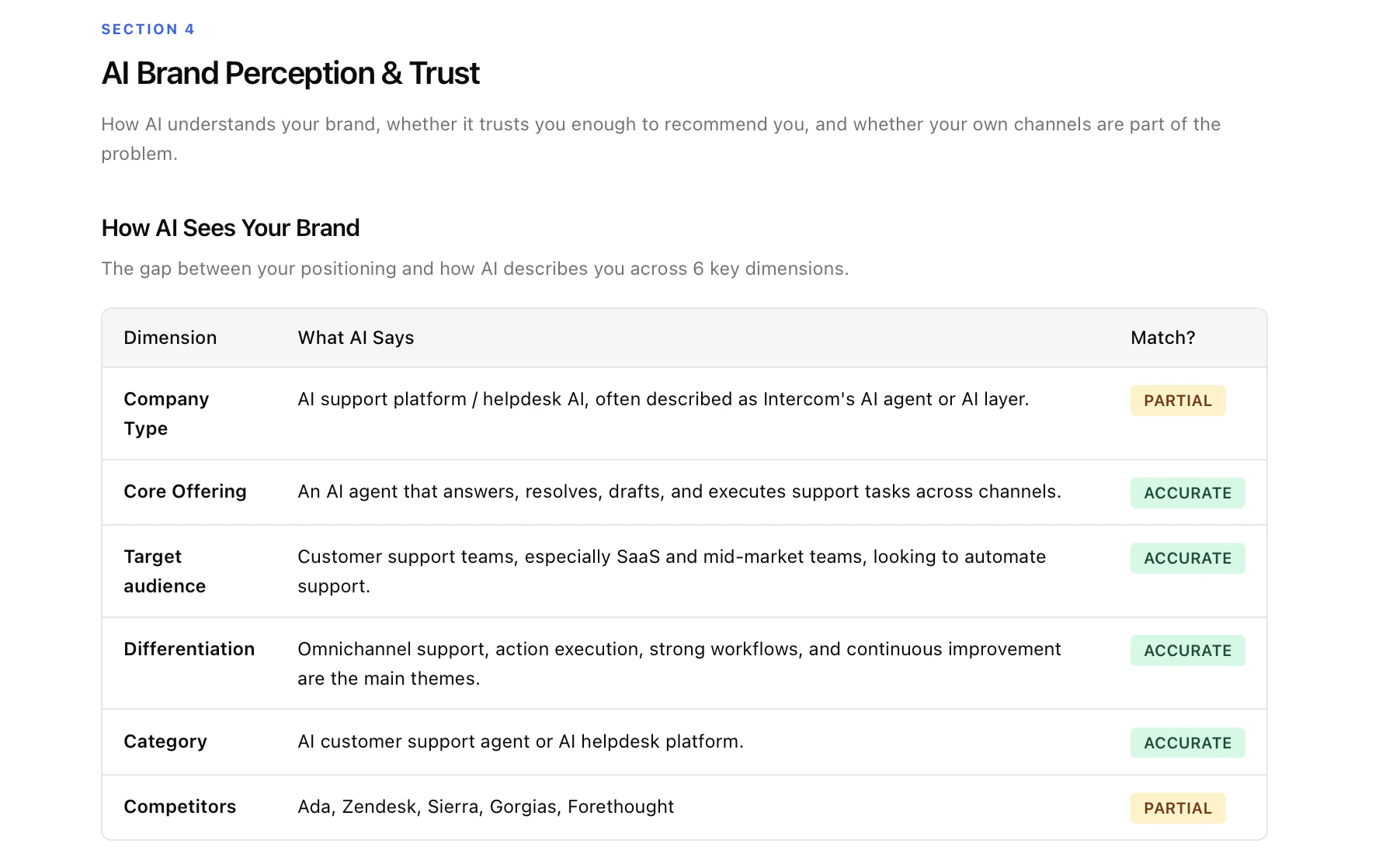
- What does AI actually think their brand is, and does it trust them?
- Where are they visible vs. invisible across buyer topics?
- Who is winning AI recommendations in their category?
- Where does AI get its picture of this category from?
- What should they fix, and in what order?
What you get
Every audit is delivered in two formats, both fully branded with your agency logo and name:- Interactive, shareable HTML report — a link you can share with the prospect for live walkthroughs or self-guided reading.
- Editable DOC version — a downloadable document you can open, edit, and re-export before sending.
How we generate the audit
What you provide
- Brand name
- Website URL
- Region — so we match the AI responses to the market the brand sells into
What gets tested
- 12 prompts per audit — split across 4 categories, covering both branded queries (where the brand name is in the prompt) and non-branded queries (category, use-case, and comparison prompts where buyers are exploring without naming a brand).
- 3 AI platforms — ChatGPT, Gemini, and Perplexity.
- 12 × 3 = 36 AI responses per audit, each captured with its full set of citations.
- Real UI scraping, not API calls — we capture exactly what a buyer would see in the AI chat interface, including citations and recommended sources. This matters because API responses often differ from what real users experience.
What’s measured
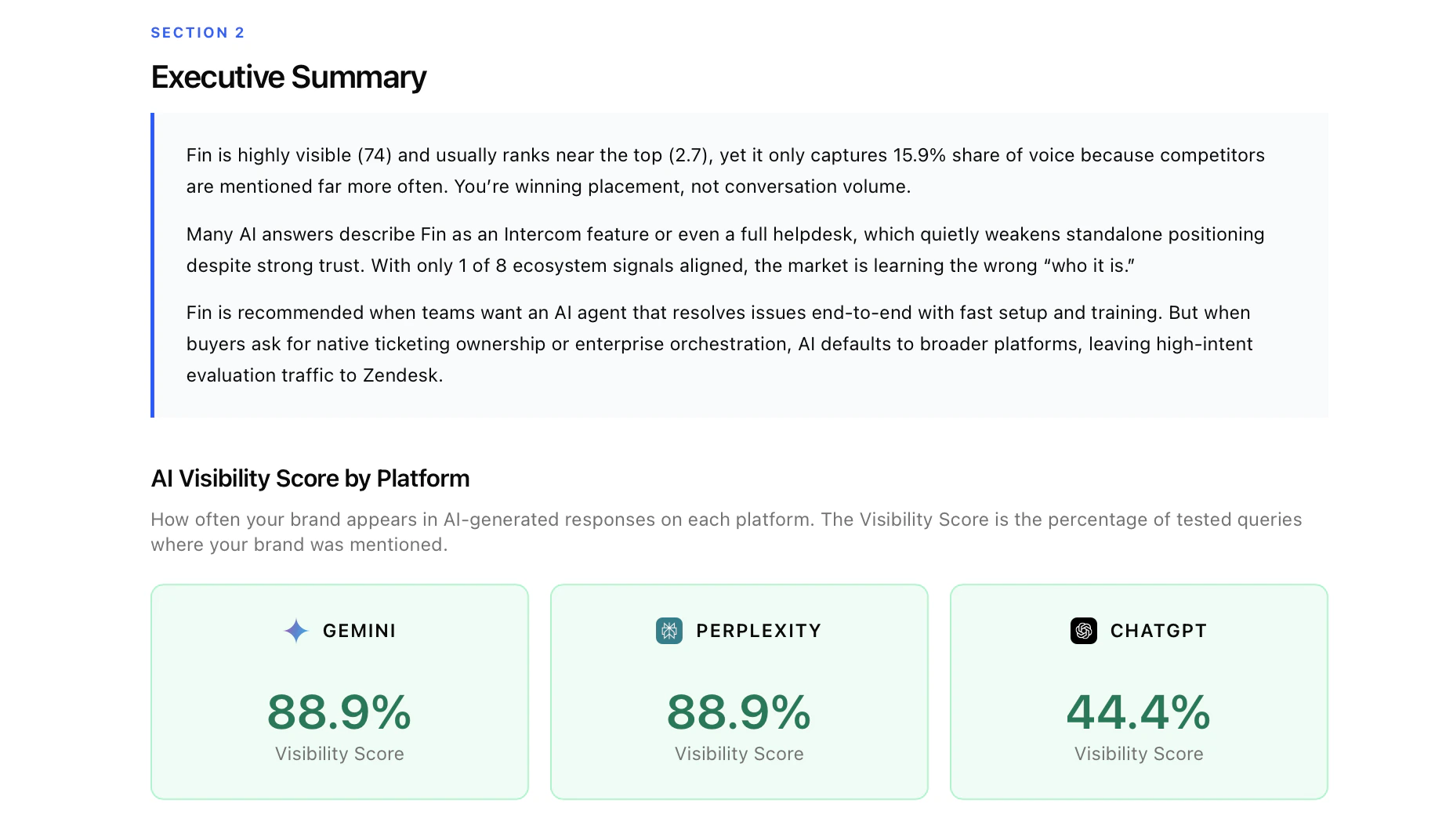
For every response we capture: whether the brand appeared, its position in the recommendation list, which competitors were mentioned, whether AI described the brand accurately, and which domains and URLs AI cited. These raw signals feed every metric and every chart in the report.What’s in each section
1. Cover + Brand Snapshot
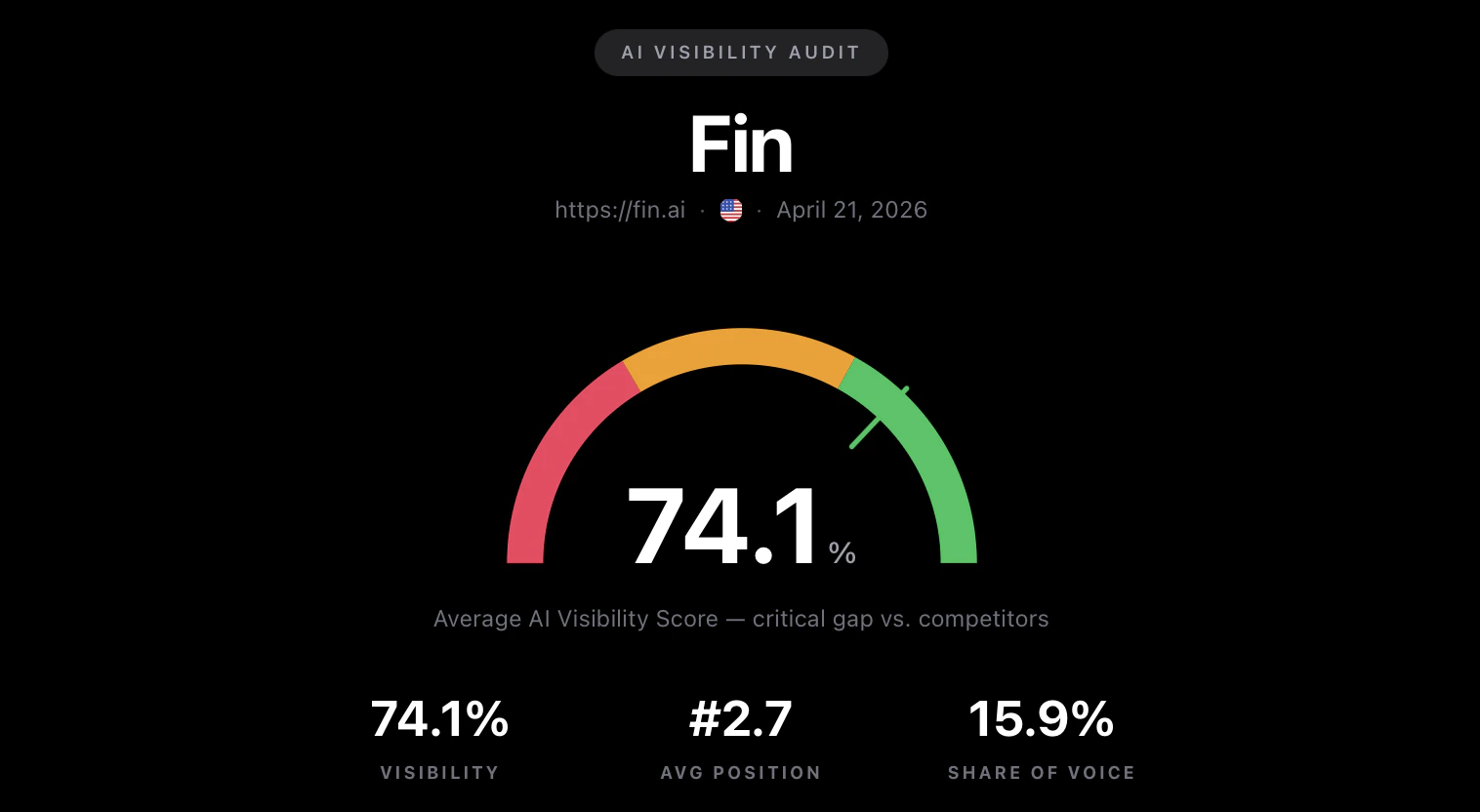
2. Executive Summary + Key AI Search Metrics
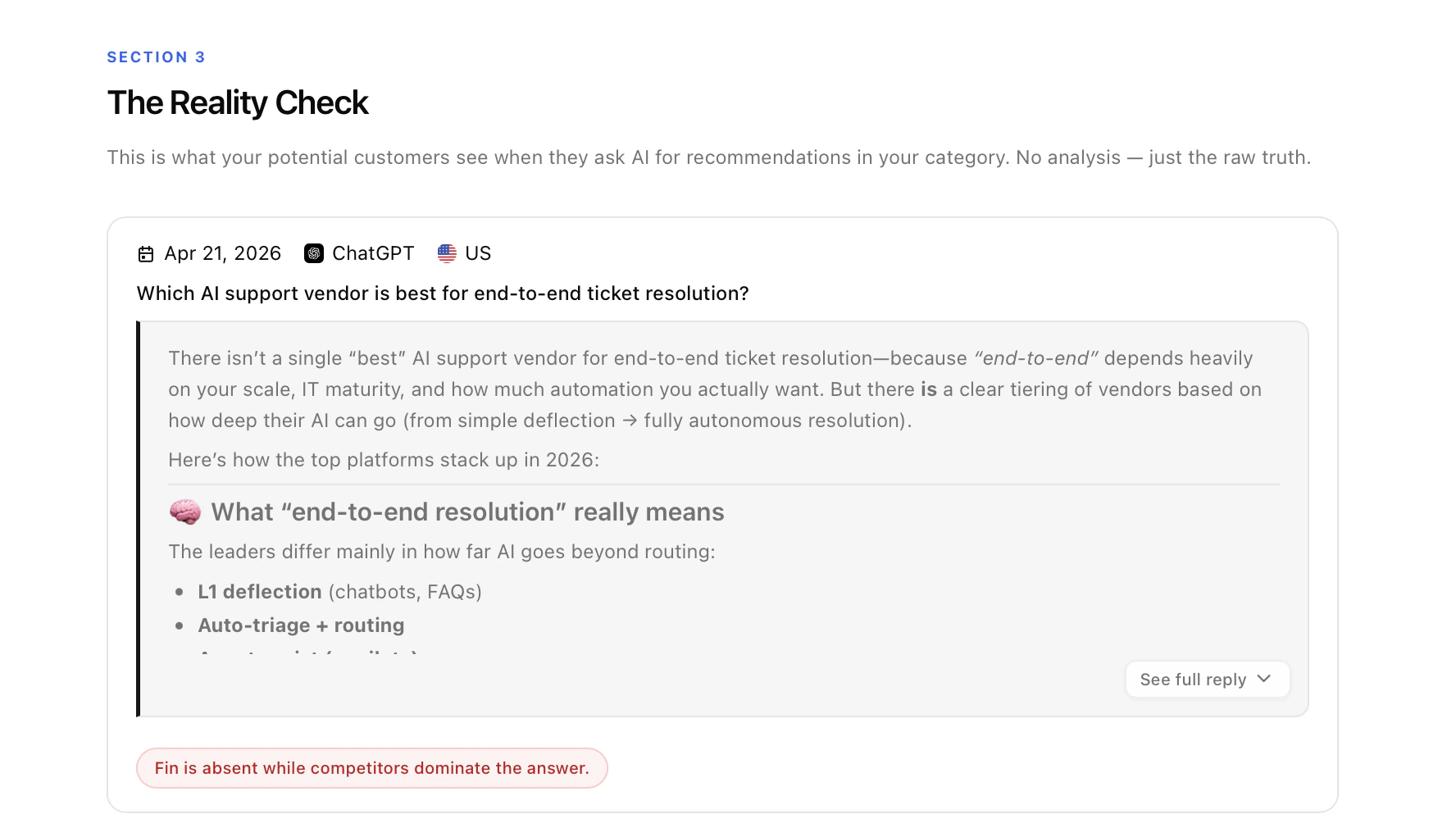
3. The Reality Check
4. AI Brand Perception & Trust
5. AI Visibility by Topic
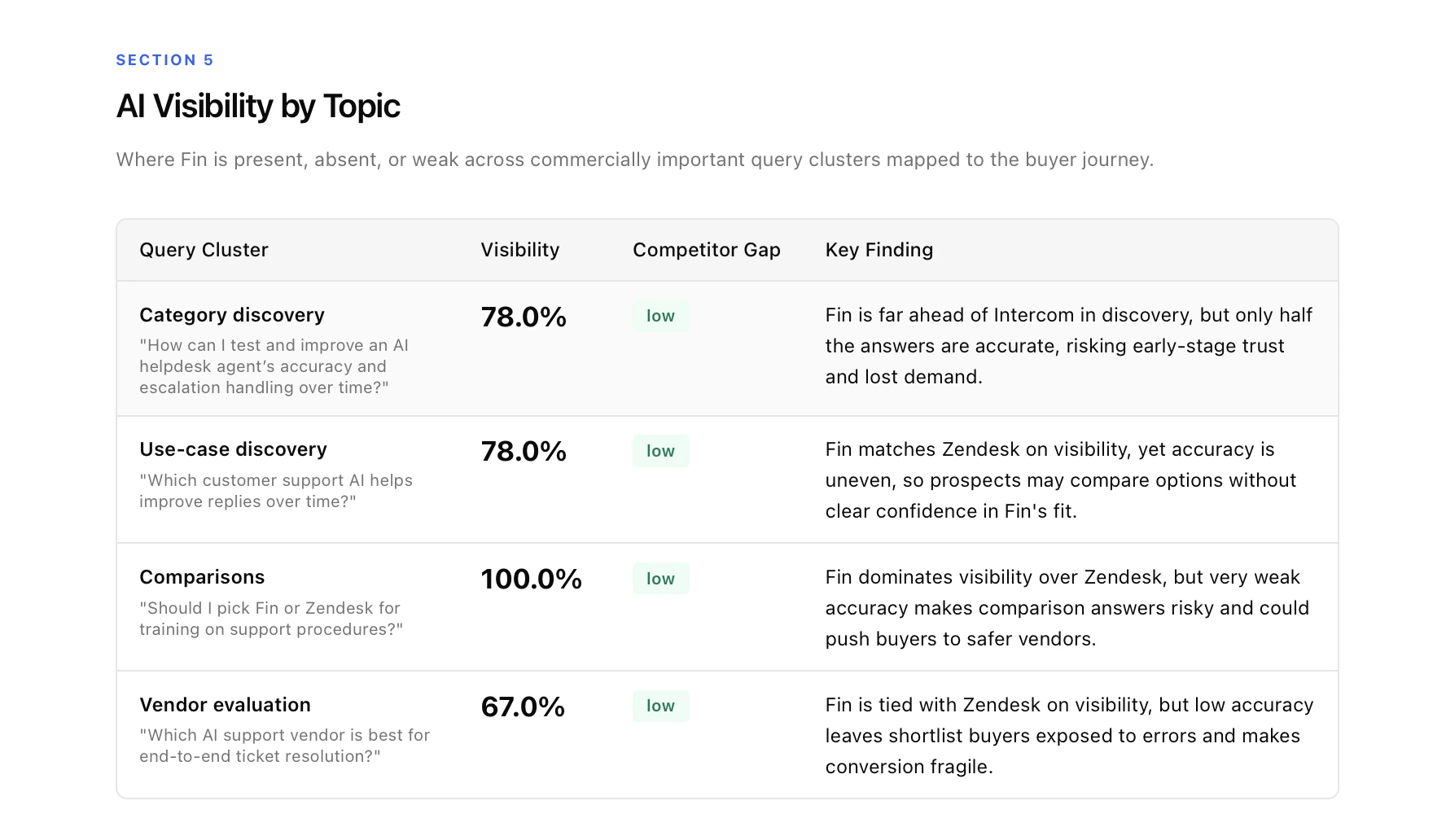
6. Competitor Comparison
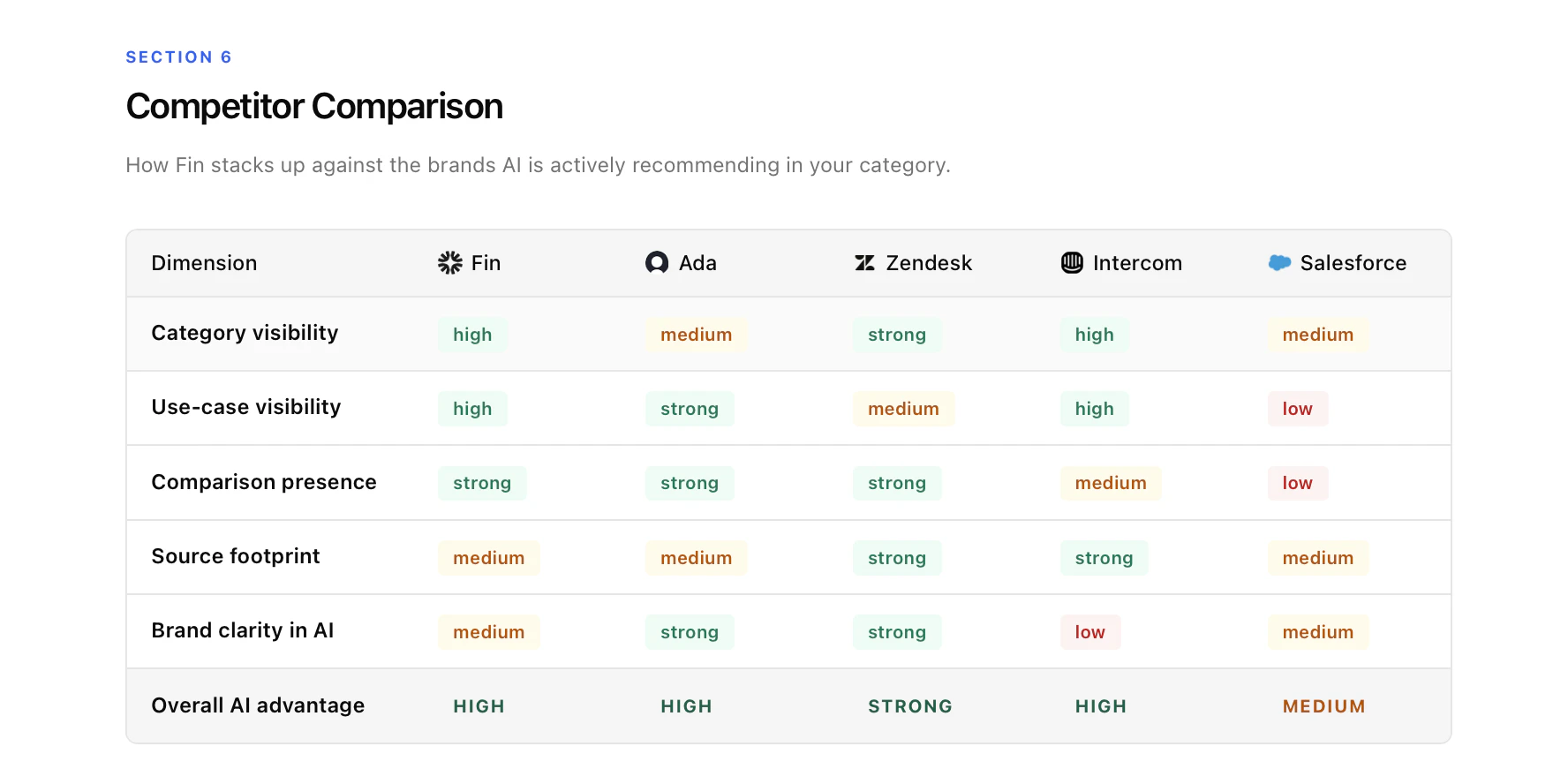
7. Sources & Citations
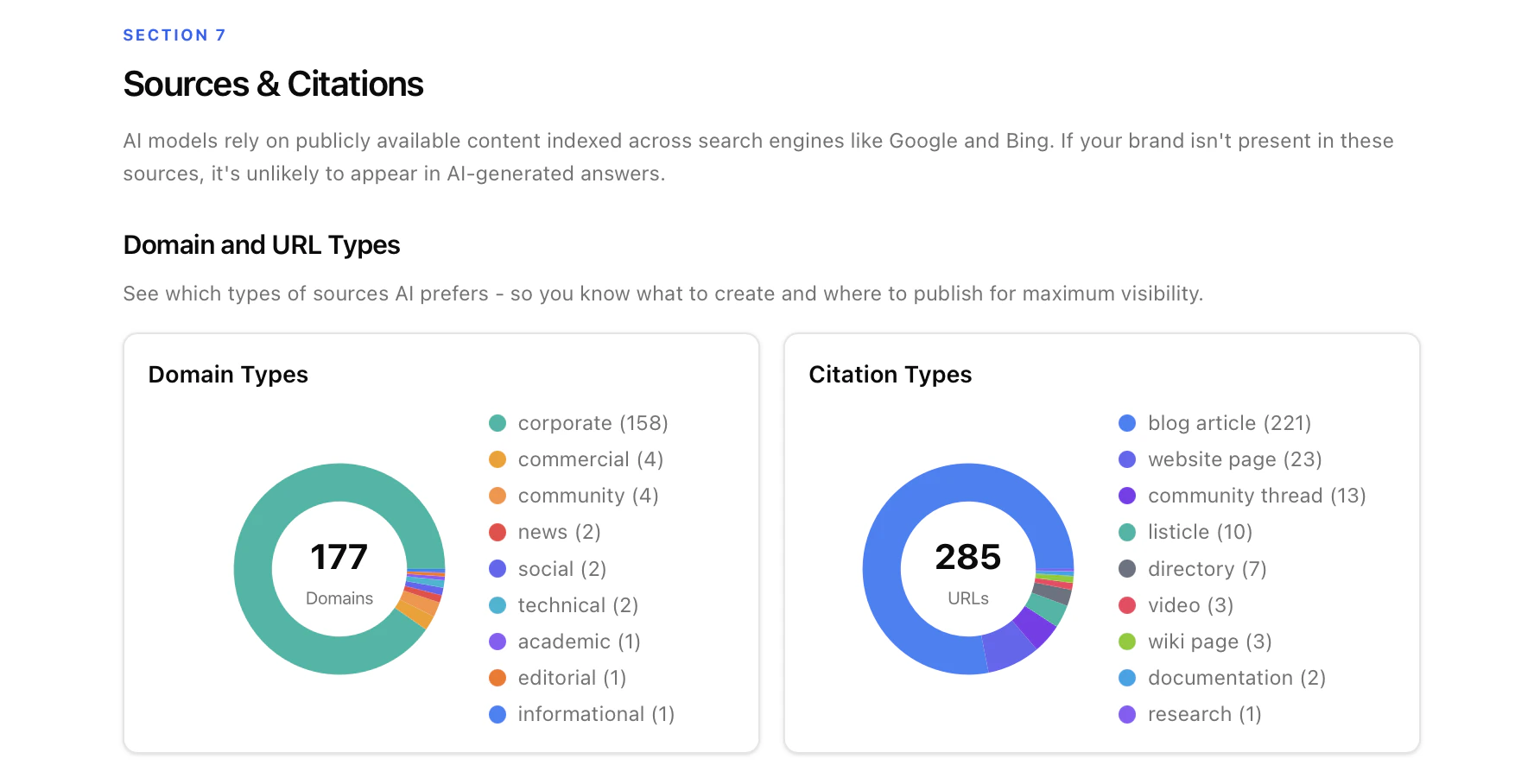
8. Key Issues & Root Causes
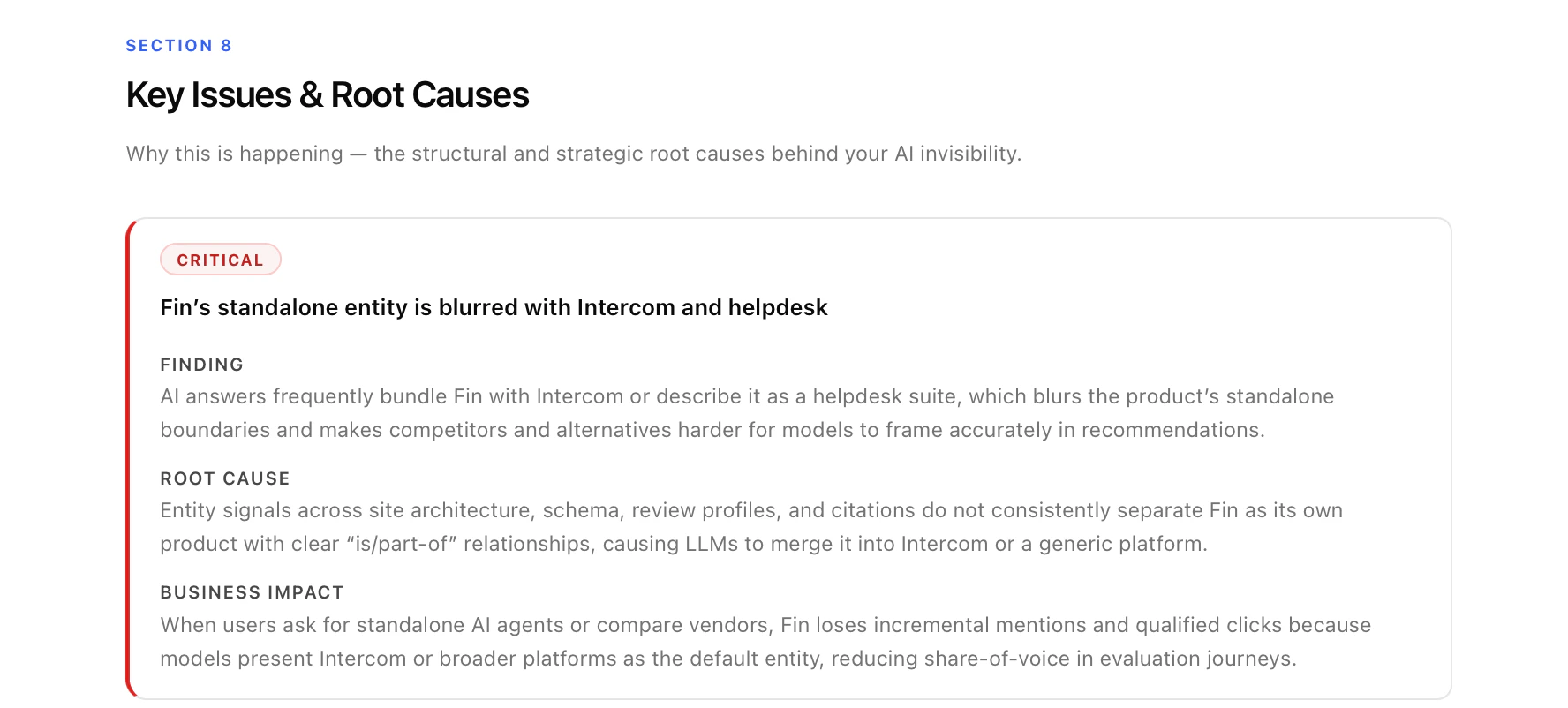
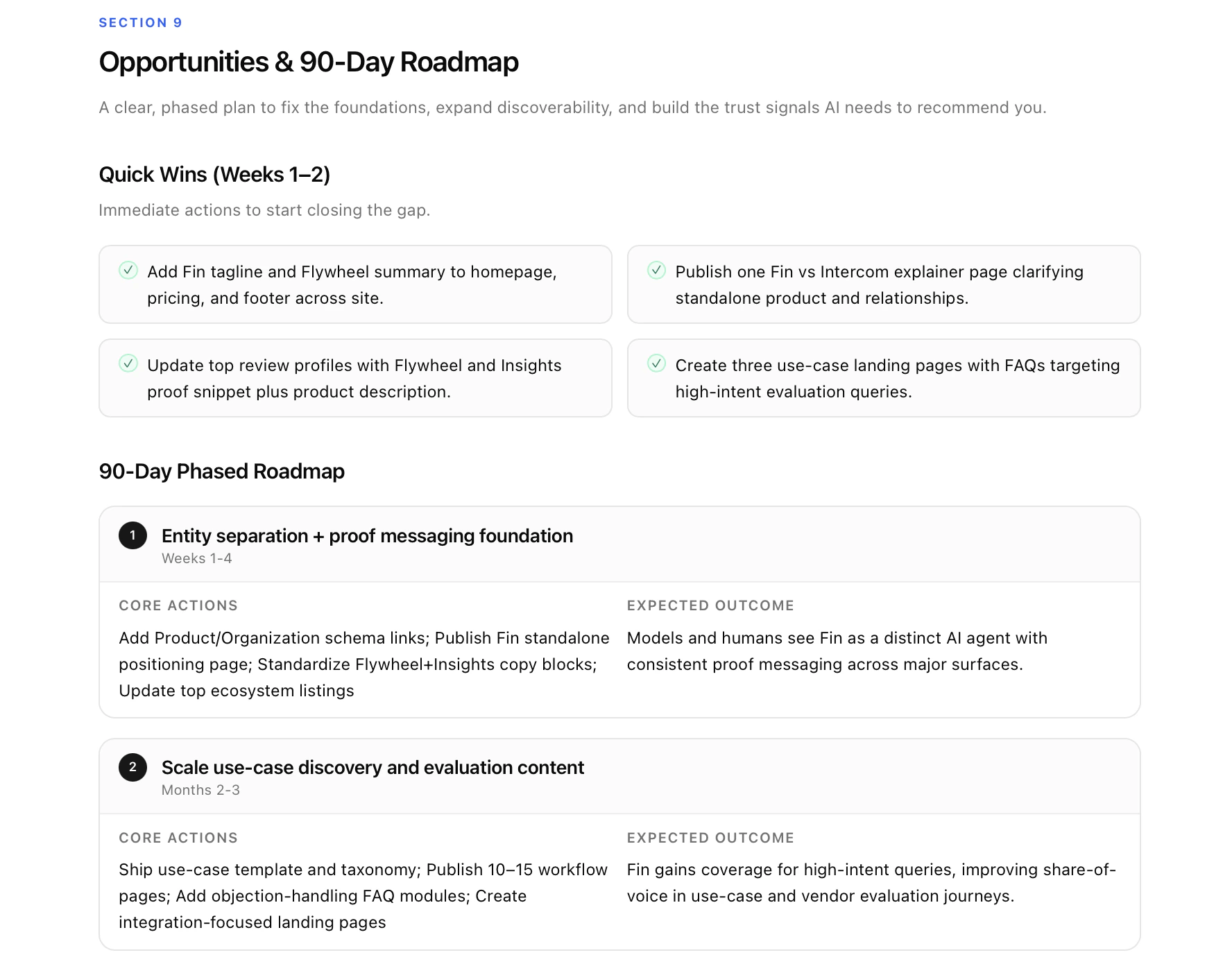
9. Opportunities & Roadmap
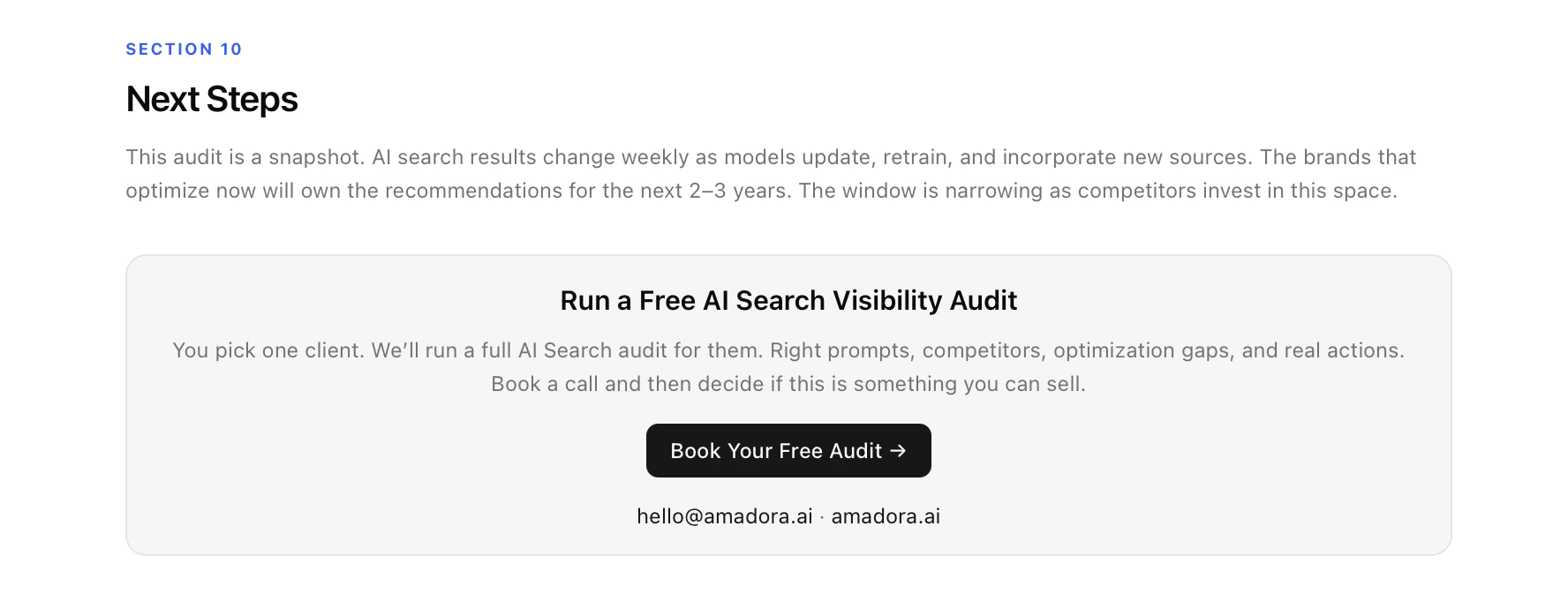
10. Next Steps (editable CTA block)
Using the audit for prospect demos
The audit is built to be a sales tool first. A few tactical notes: Before the call. Run the audit 1–2 days ahead. Skim the Executive Summary and Reality Check to pick the single most damaging finding — this becomes your opening beat. Check Section 4’s Ecosystem Consistency table for a “free quick win” you can hand the prospect on the call; it builds enormous goodwill. Opening (cold prospect, no demo booked). Send the DOC or HTML link as a cold lead magnet with a two-line email: “Ran an AI search audit on [Brand]. You appear in only [X]% of responses where your buyers are asking. Happy to walk you through it — here’s my calendar.” The report does the heavy lifting; your only job is to offer the walkthrough. The 15-minute live walkthrough. Follow the flow in the report. Cover + Metrics (1.5 min) → Reality Check (2 min) → Perception & Trust (3 min) → Visibility by Topic (2 min) → Competitors (2 min) → Sources & Citations (1.5 min) → Key Issues (1.5 min) → Roadmap (2 min) → Next Steps (1 min). Let the Reality Check page breathe — don’t narrate it, let them read it. The deal usually starts closing during Section 4. Common objections and where to go.- “We already rank well on Google.” → Section 3 + Section 6. Google SEO ≠ AI search. Show them a competitor winning in AI while they win in Google.
- “Is AI search really big enough to matter?” → Section 10’s urgency paragraph plus the trust-signal compounding story from Section 4.
- “Can’t we just fix this ourselves?” → Section 9. The quick wins are gift-wrapped; the strategic fixes (comparison pages, source footprint, structured data) require execution they don’t have.
Using the audit to expand current accounts
The audit isn’t just for new logos — it’s a powerful tool for scoping new workstreams inside existing accounts. Quarterly re-audit rhythm. Run a fresh audit every quarter for each retained client and walk them through it as part of the QBR. The Visibility Score delta (up or down) is the single most powerful metric you can show a client — it proves the retainer is working and surfaces new gaps as AI models evolve. Use deltas to land new scope. Watch the quarter-over-quarter changes. If Section 5’s Category discovery cluster has gotten worse, that’s a new content workstream. If Section 4’s Trust Signal has dropped from Mixed to Weak, that’s a PR and review-platform push. If Section 7’s Sources & Citations shows competitors being cited on a new set of listicles, that’s an outreach sprint. Every delta is a scoping opportunity. Use it to onboard new stakeholders. When a client hires a new CMO or Head of Growth, the audit is the fastest way to get them up to speed on the engagement. Send the HTML link on day one — it briefs them on the AI visibility baseline, the plan, and the progress so far in one sitting.FAQ
How long does an audit take to generate?Most audits complete in 30–60 minutes end-to-end once the brand and region are submitted. How often should I re-run an audit?
For active retainers, quarterly. For monitoring-only accounts, every 2–3 months. AI models update frequently and scores shift. Can I test more than 12 prompts or add more AI platforms?
The default of 12 prompts × 3 platforms = 36 responses is tuned for turnaround time and reliability. Larger or custom scopes are possible for enterprise accounts — reach out to Amadora. Does the audit handle brands without a clear category?
It works best when the brand fits a recognisable category. For very novel products, the category-level prompts may show low visibility simply because the category doesn’t exist yet in AI’s model — use the use-case cluster as the primary signal instead. Can I white-label the report for my agency?
Yes. Both the interactive HTML report and the editable DOC version are fully branded with your agency’s logo and name, and the CTA block at the end is fully editable per prospect or account.