> ## Documentation Index
> Fetch the complete documentation index at: https://docs.amadora.ai/llms.txt
> Use this file to discover all available pages before exploring further.
# Actions Overview
Actions turns your AI visibility data into execution-ready deliverables—from complete site plans and content briefs to outreach lists and deep technical audits.
 ## What Actions is for
While analytics show you where your visibility stands, **Actions** answers what to do next. A visibility score tells you that gaps exist, but it doesn't show whether the issue is missing site pages, poorly structured content, or a lack of third-party citations.
Actions analyzes your tracked prompts, captured LLM responses, competitor citation data, topical map, and live website to generate actionable files you can hand straight to a writer, developer, or client.
## Overview of Actions Pages
| Page | What it produces |
| ----------------------- | ---------------------------------------------------------------------------------------------------------- |
| Site Structure | Recommended website architecture reconciled page-by-page against your live site, plus landing page drafts. |
| Content Creation | Prioritized content plans, writer-ready briefs, and publish-ready blog drafts. |
| Mentions & Backlinks | Categorized, prioritized outreach target lists across six off-site channels. |
| Brand, Trust, Authority | A complete AI visibility audit converted into an accept-or-decline action list and 90-day roadmap. |
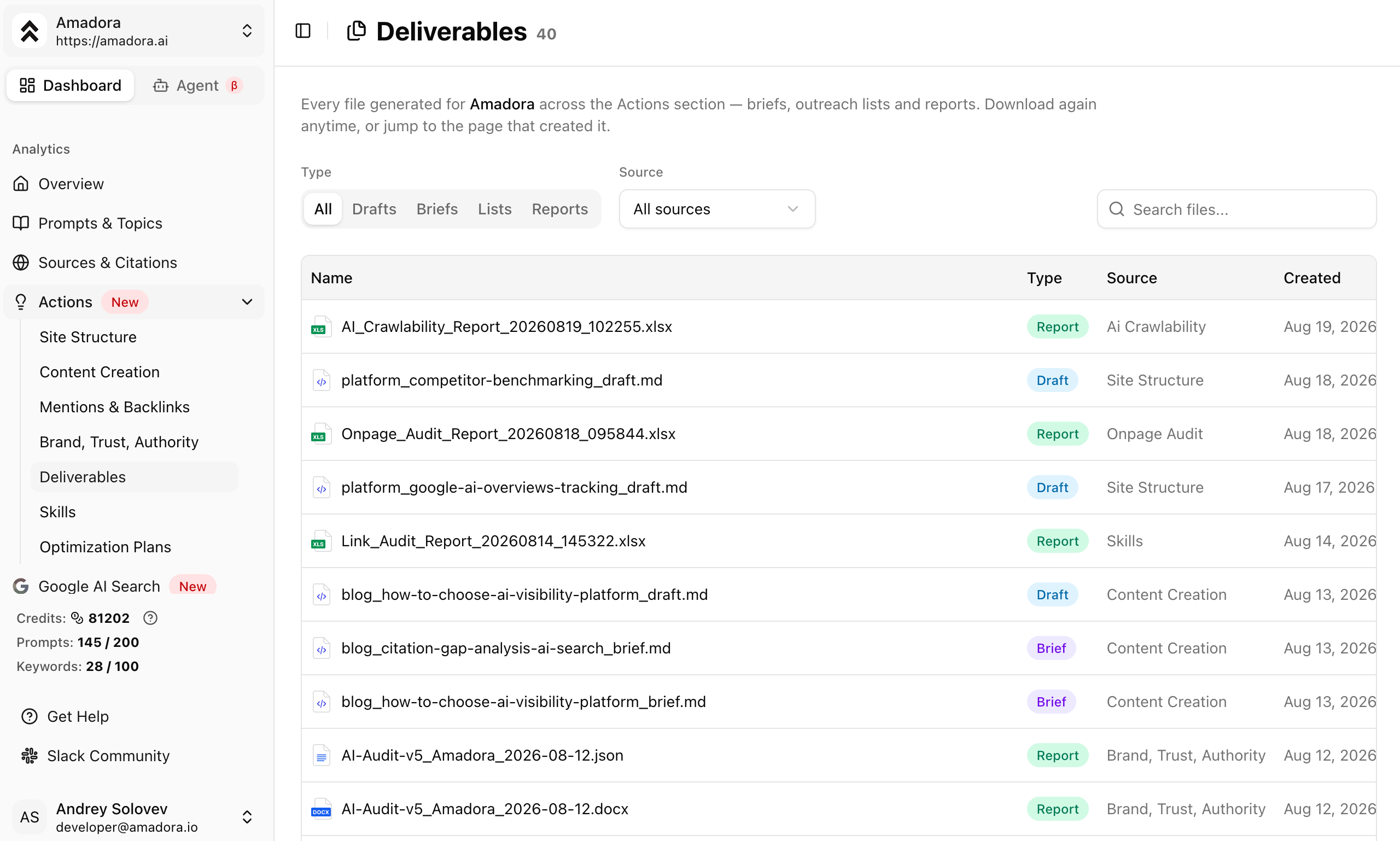
| Deliverables | A centralized repository containing every file generated across your project. |
| Skills | Four on-demand SEO and GEO audits you can run monthly without prior setup. |
| Optimization Plans | Reverse-engineered blueprints to help you win recommendations for specific high-value prompts. |
## Recommended Workflow
While you can access pages in any order, this sequence yields the best results in practice:
1. **Complete Initial Setup:** Generate your commercial topical map and four brand detail documents. These give the agent essential factual context like pricing and target personas.
2. **Diagnose Gaps:** Run **Brand, Trust, Authority** to identify why AI models aren't citing your brand. Findings route directly into other Actions pages.
3. **Fix Architecture:** Use **Site Structure** to pinpoint missing site pages and generate initial drafts for new landing pages.
4. **Fill Content Coverage:** Turn prompts you are losing into structured content plans, briefs, and drafts using **Content Creation**.
5. **Build Off-Site Corroboration:** Use **Mentions & Backlinks** to find review platforms, directories, and industry publications that influence AI responses in your category.
6. **Maintain Site Health:** Run the four **Skills** audits during onboarding and monthly thereafter. These read your live site directly and require zero setup.
7. **Optimize Key Prompts:** Build an **Optimization Plan** for individual high-value prompts to understand exactly what LLMs require before recommending your brand.
## Data Sources
Outputs generated in Actions draw directly from real-time project metrics:
* **Captured AI Answers:** Actual recorded responses across ChatGPT, Gemini, Perplexity, Claude, and Google AI Overviews.
* **Citation & Competitor Data:** Analytics detailing which domains are cited in your category and how often.
* **Project Topical Map:** Content pillars, cluster topics, search intent, and business context.
* **Live Site Scrapes:** Fresh, real-time scrapes of your live URL during every run.
* **Search Analytics:** Integrations with Google Search Console and third-party search data.
## What Actions is for
While analytics show you where your visibility stands, **Actions** answers what to do next. A visibility score tells you that gaps exist, but it doesn't show whether the issue is missing site pages, poorly structured content, or a lack of third-party citations.
Actions analyzes your tracked prompts, captured LLM responses, competitor citation data, topical map, and live website to generate actionable files you can hand straight to a writer, developer, or client.
## Overview of Actions Pages
| Page | What it produces |
| ----------------------- | ---------------------------------------------------------------------------------------------------------- |
| Site Structure | Recommended website architecture reconciled page-by-page against your live site, plus landing page drafts. |
| Content Creation | Prioritized content plans, writer-ready briefs, and publish-ready blog drafts. |
| Mentions & Backlinks | Categorized, prioritized outreach target lists across six off-site channels. |
| Brand, Trust, Authority | A complete AI visibility audit converted into an accept-or-decline action list and 90-day roadmap. |
| Deliverables | A centralized repository containing every file generated across your project. |
| Skills | Four on-demand SEO and GEO audits you can run monthly without prior setup. |
| Optimization Plans | Reverse-engineered blueprints to help you win recommendations for specific high-value prompts. |
## Recommended Workflow
While you can access pages in any order, this sequence yields the best results in practice:
1. **Complete Initial Setup:** Generate your commercial topical map and four brand detail documents. These give the agent essential factual context like pricing and target personas.
2. **Diagnose Gaps:** Run **Brand, Trust, Authority** to identify why AI models aren't citing your brand. Findings route directly into other Actions pages.
3. **Fix Architecture:** Use **Site Structure** to pinpoint missing site pages and generate initial drafts for new landing pages.
4. **Fill Content Coverage:** Turn prompts you are losing into structured content plans, briefs, and drafts using **Content Creation**.
5. **Build Off-Site Corroboration:** Use **Mentions & Backlinks** to find review platforms, directories, and industry publications that influence AI responses in your category.
6. **Maintain Site Health:** Run the four **Skills** audits during onboarding and monthly thereafter. These read your live site directly and require zero setup.
7. **Optimize Key Prompts:** Build an **Optimization Plan** for individual high-value prompts to understand exactly what LLMs require before recommending your brand.
## Data Sources
Outputs generated in Actions draw directly from real-time project metrics:
* **Captured AI Answers:** Actual recorded responses across ChatGPT, Gemini, Perplexity, Claude, and Google AI Overviews.
* **Citation & Competitor Data:** Analytics detailing which domains are cited in your category and how often.
* **Project Topical Map:** Content pillars, cluster topics, search intent, and business context.
* **Live Site Scrapes:** Fresh, real-time scrapes of your live URL during every run.
* **Search Analytics:** Integrations with Google Search Console and third-party search data.
## Supported Output Formats
All generated assets are organized by format for seamless handoff:
| Format | Used for |
| -------- | ---------------------------------------------------------------------- |
| XLSX | Site plans, content roadmaps, audit registers, technical spreadsheets. |
| DOCX | Client-facing strategy documents and full audit reports. |
| Markdown | Content briefs and blog drafts ready for CMS upload or copywriters. |
| CSV | Prospect lists for PR, outreach, and directory submissions. |
All generated files land automatically in **Deliverables** for easy re-downloading.
## FAQs
No, but completing setup first ensures better output quality. Without brand details, content drafts will lack specific business context. Skills is the exception—it runs directly off your live URL with zero setup required.
Re-run **Brand, Trust, Authority** and **Site Structure** quarterly or after major site changes. Run **Content Creation** and **Skills** monthly to adapt to shifting AI search trends.
Yes. The Get Started audit is a quick 12-prompt summary designed for sales pitches. The **Brand, Trust, Authority** page is an in-depth diagnostic for active projects.
Yes. **Site Structure** and **Content Creation** accept natural language prompts to modify recommendations before generating final files. Exported files can also be edited manually.